Your phone goes dark. Your number doesn't.
My phone died in the back of an Uber, and my flight boards in 40 minutes.
Lost, stolen, broken, or dead. Sign in on another phone and your backed-up contacts are there, and calls you place from the app show your number, as long as you set it up on your phone first. Sign out and that device forgets you.
It has to be set up on your phone before something happens to it.
Available in the US and Canada.
Also on Google Play
Try it liveLost Stolen Broken Dead↓Pick what happened. You stay reachable.
iPhone, with call forwarding on through a US carrier
Two steps. That's it.
Set it up once, now, while your phone is fine. MobileyMe keeps an encrypted copy of your contacts, messages, and call history up to date, so it's ready the day you need it.
Install
Sign in, verify your number with one short call, and allow Contacts so they back up.
Sign in again
The day you need it, sign in on another phone, or on the web at app.mobileyme.com. Your backed-up contacts are there.
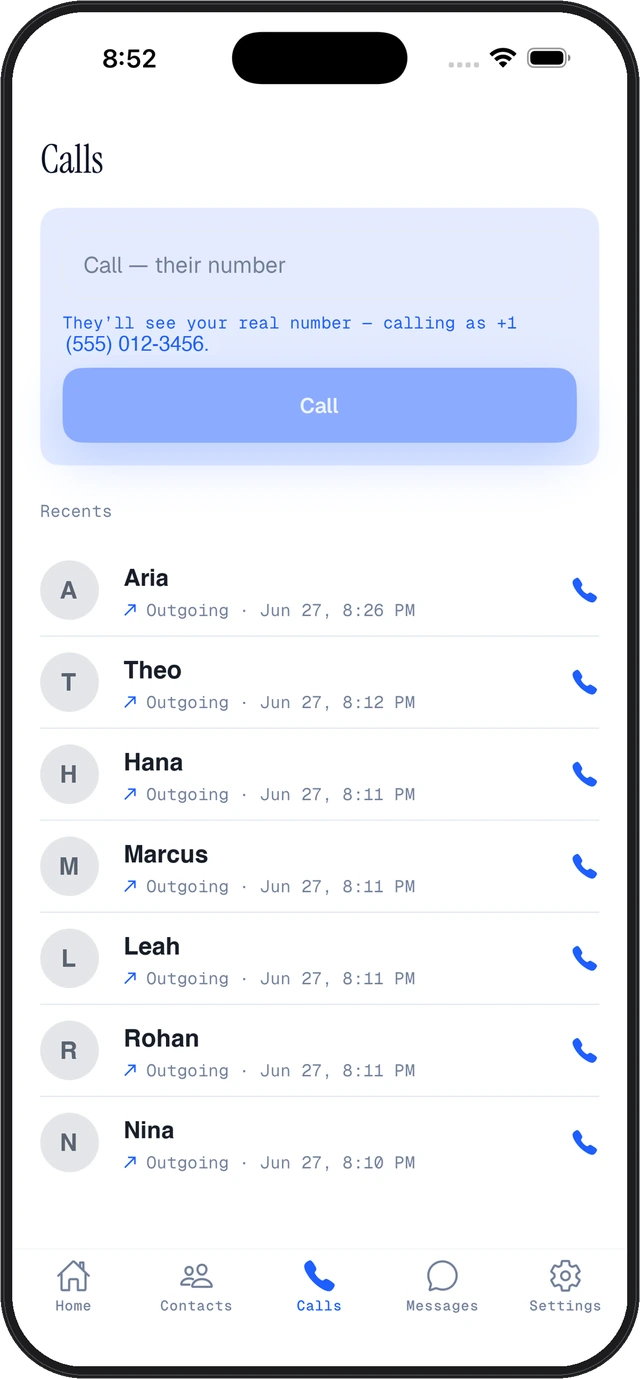
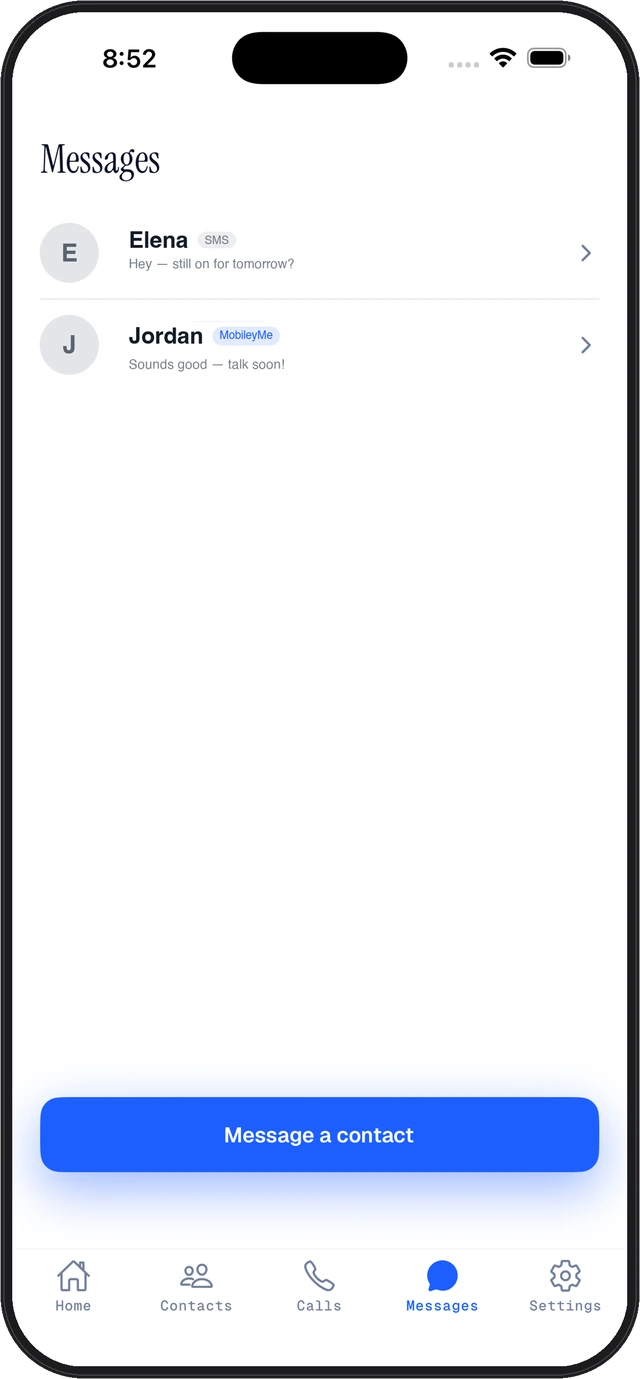
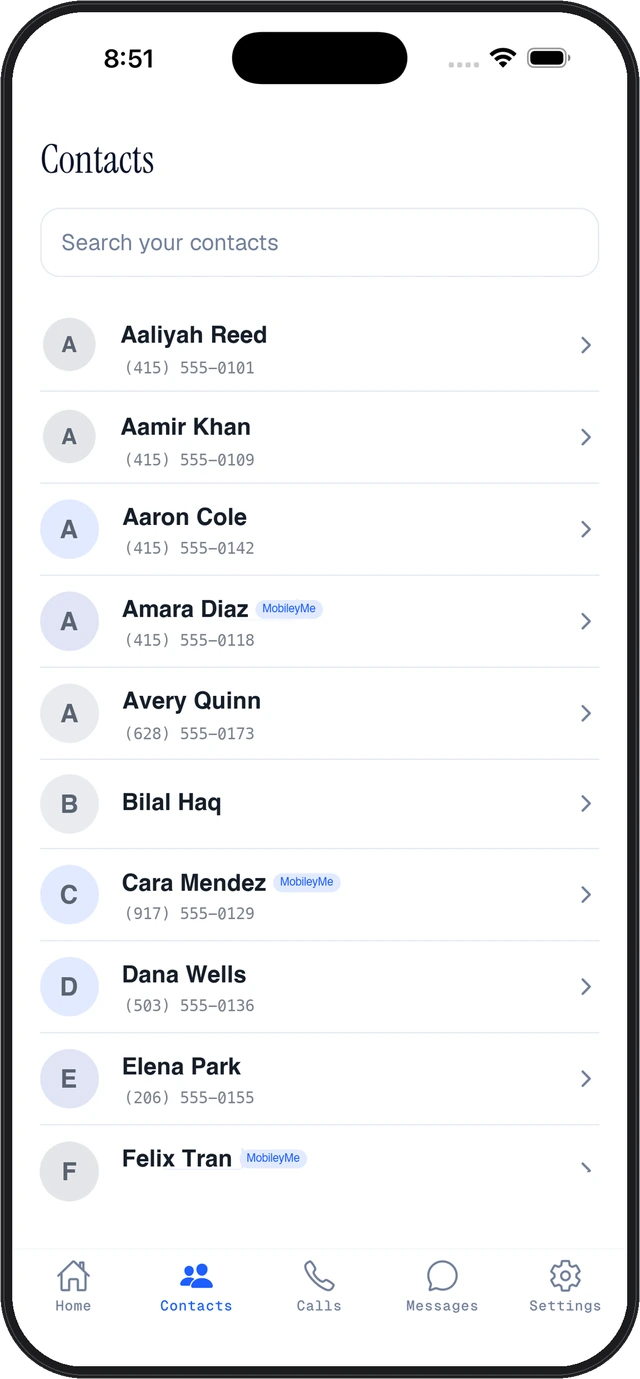
This is what you sign in to.
Actual screens from MobileyMe on iPhone. Set it up first, and your backed-up contacts and messages are there on whatever device you sign in on.
Your number. Any phone you borrow.
MobileyMe protects the number you already own. Nothing to port, no second number to hand out.
Your number on calls
Calls you place from the app show your number, once you have verified it on your own phone. Texts go out through the app on a MobileyMe line.
Saved to your account
Your backed-up contacts, messages, and call history are saved in your private account. Signing out removes your MobileyMe data from that phone.
Sign out & wipe
Signing out removes your MobileyMe data from that phone. On a borrowed phone you see a Sign out & wipe screen that says so.
Voicemail with transcripts.
Voicemails land in the app with a transcript, readable on any phone you sign in on.
Notes that travel with you.
Notes you save in MobileyMe are there when you sign in on another phone.
Sign MobileyMe out of it.
Lost your phone? Sign MobileyMe out of it from any other phone. It signs out the next time that phone is online, and your number and contacts stay safe in your cloud.
The day it mattered.
Real App Store reviews.
MobileyMe helped me text my brother when he was in the hospital and I didn’t have my phone.
This app has helped me so much because i dropped my phone in the lake and i didn’t have a phone until i accessed all of my contacts with mobiley me
…the setup was quick and easy.
Life saver
Helped me out to many times to count
No phone to borrow? Any computer works.
Once MobileyMe is set up on your phone, you can sign in from a computer at app.mobileyme.com. Nothing to install.
Open the web app →Your phone shouldn't be theonly way to reach you.
Phones die before job interviews, crack on vacation, and get left in cabs. None of that has to cut you off.
Sign in on another phone.
Your backed-up contacts are there. Set up first. US and Canada.
Lost phone checklist Stolen phone checklistUse a spare while it's fixed.
Sign in on a spare phone. Your backed-up contacts are there.
Broken or dead phone guideBorrow a phone to reach people.
Sign in on a borrowed phone and call your backed-up contacts. Set up first.
A borrowed phone can call for help, but it can't be you. MobileyMe puts your backed-up contacts, and the calls you place from the app showing your number, on another phone while yours is fixed or replaced. Set it up on your own phone first.
- Allstate Protection Plans, Mobile Mythconceptions surveys fielded 2023 (press release March 2024): 31% of U.S. smartphone owners damaged a phone in the past year.
- Allstate Protection Plans, same surveys: 5% of U.S. smartphone owners had a phone stolen and 8% permanently lost one in the past year.
- Apple, out-of-warranty repair pricing: from $129, depending on model and type of damage.
Privacy and security.
Your data is encrypted and kept in a private account protected by your sign-in.
Protected by your sign-in.
Your backup is encrypted and stored in a private account.
We don't sell your data.
MobileyMe does not sell your information or share it for advertising. The privacy policy has the details.
On a borrowed phone?
Sign out and the app removes your MobileyMe data from that phone. Walked away without signing out? Sign MobileyMe out of that phone from any other phone. It signs out the next time that phone is online.
Free to start. No card required.
Download it, sign in, and back up your contacts. Premium has unlimited calls and texts in the US and Canada.
- Your contacts, messages, and call history, backed up
- Calls you place from the app show your number once you have verified it, and texts go out on a MobileyMe line, with a monthly allowance
- Sign in on another phone
- Last known location of a lost phone, and sign MobileyMe out of it from another phone
- Signing out removes your MobileyMe data from that phone
- Unlimited calls and texts in the US and Canada
Premium is billed through the App Store or Google Play. Cancel anytime.
Premium's unlimited calls and texts are for the US and Canada. With call forwarding on through a US carrier, calls to your number can ring the iPhone you signed in on. Calls, backup and contacts work with US and Canadian numbers only.
The things people ask first.
Is MobileyMe a second phone number?
No. It works with the number you already have. Calls you place from the app show your number once you have verified it on your own phone, so people see the same number they already know. Texts go out through the app on a MobileyMe line. Nothing to port and no new number to hand out.
Do I need to set it up before I lose my phone?
Yes, and it's the one thing to know. MobileyMe has to be installed, signed in, and your contacts backed up while that phone still works.
What if my phone is gone and the SIM went with it?
That is the case it was built for, as long as you set it up on your phone before it was lost. Sign in on another phone, or on the web, and your backed-up contacts are there, along with your MobileyMe messages, call history, and voicemail. Calls you place from the app show your number, and you can text your contacts through the app from a MobileyMe line while you sort out a replacement.
How do calls and texts work?
Calls you place from the app show your number once you have verified it on your own phone. On iPhone, with call forwarding on through a US carrier, calls to your number can ring the iPhone you're signed in on. Texts work a little differently: you text your contacts through the app from a MobileyMe number. Texts that a bank or a website sends to your regular number, like login codes, still go to your SIM, so those wait until you have your phone or a replacement. Premium's unlimited calls and texts are for the US and Canada. Calls, backup and contacts work with US and Canadian numbers only.
What if I sign in on someone else's phone?
When you sign out, the app removes your MobileyMe data from that phone. If you walk away without signing out, you can sign MobileyMe out of it from any other phone. It signs out the next time that phone is online.
Does it work with my carrier?
MobileyMe works with US and Canadian mobile numbers. You keep your carrier, your plan, and your number. Nothing changes on your bill.
Is it free?
Yes. MobileyMe is free to download and use, with a monthly allowance of calls and texts, so if you're in a bind you can sign in and reach someone without paying anything. Premium has unlimited calls and texts in the US and Canada. US pricing is $9.99 a month or $99.99 a year; in Canada, see the app for your price. No card is needed for the free plan.
Does it work on both iPhone and Android?
The app is on the App Store and Google Play, and there is a web version too: sign in from a computer at app.mobileyme.com.
What happens when I sign out of a borrowed phone?
When you sign out of MobileyMe on a phone, the app removes your MobileyMe data from that phone: your saved login, cached number, contacts and messages. On a borrowed phone it shows a Sign out & wipe screen to make that clear. Your contacts and messages stay in your MobileyMe cloud account.
Who can see my data?
Your data is kept in a private, encrypted account protected by your sign-in. MobileyMe does not sell it or share it for advertising. The privacy policy has the details.
Built by people who refuseto be disconnected.
Your number and contacts should be under your control, even when your phone isn't.

Myra Durrani

Larry Pino

Jon Ryan
Meet the full team

Dorothy “Dotti” Wynn

Eugene Smiley

Bryan Seely

Jose Castellanos
Writeto us.
Questions, partnerships, press, or something went wrong? Tell us what happened.
Your contacts. Your number on calls. Yours, on any phone you sign in to.
Set up MobileyMe and back up your contacts, so you're ready the next time something happens to your phone.
On a computer? Scan this with your phone's camera to get the app.